
Personal Journaling Platform
Sol Journal is a simple, minimal, journaling platform that works offline and across all devices. It can be self-hosted through Firebase and then installed as a PWA, on mobile devices for easy access on a phone, or on Desktops.
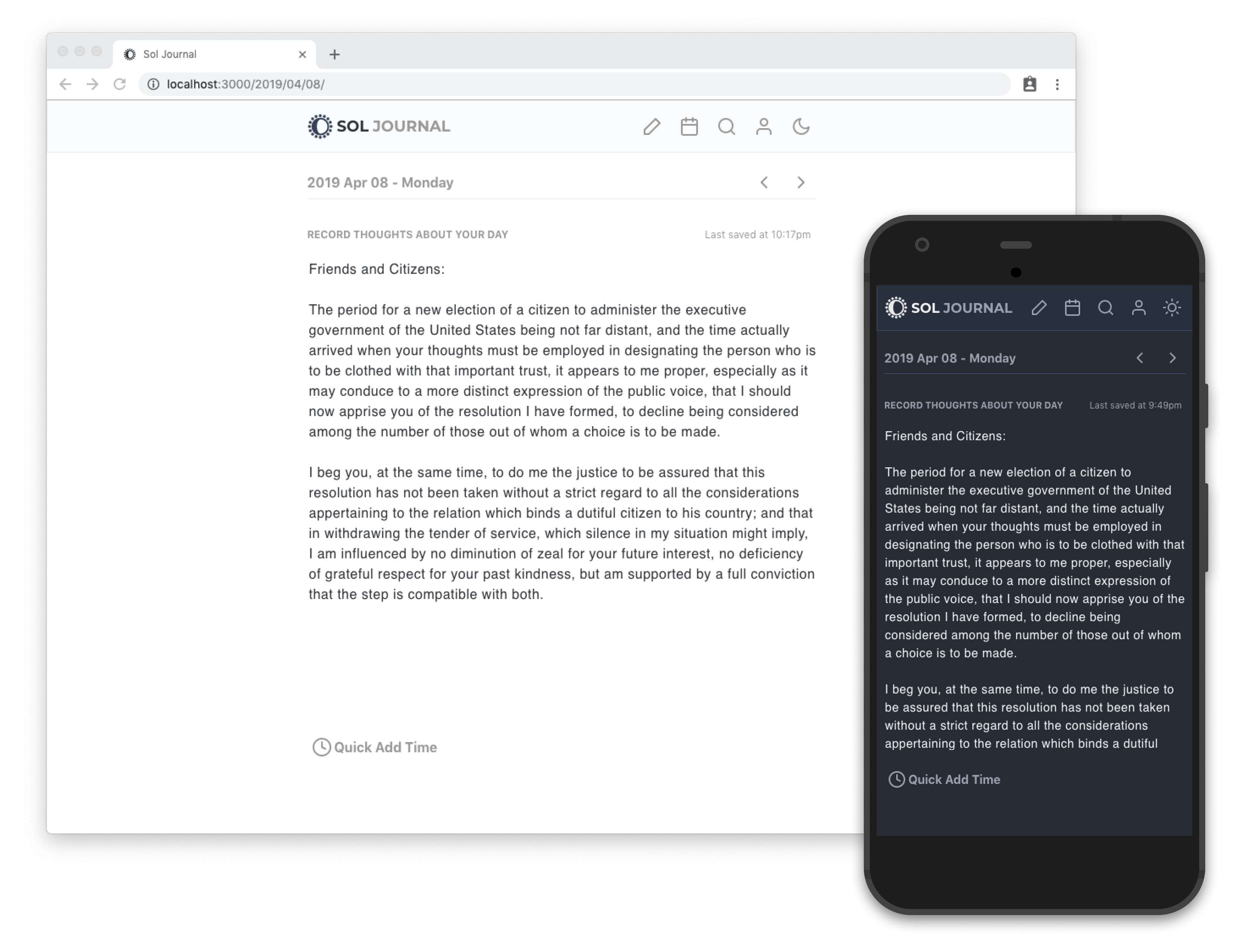
## Introduction
Journaling is a keystone habit that can improve your happiness and [overall health](https://psycnet.apa.org/record/2004-16777-010). Writing in a journal with pen and paper is effective, but not as easily accessible, maintained, or preserved as taking advantage of digital platforms.
Having a journal that is available on any device makes journaling easier. Being tailored specifically to journaling makes it less cumbersome than trying to utilize a note taking app or document for recording thoughts and impressions.
## Getting Started
There are 2 ways to get started using Sol Journal:
1. You can use the hosted version (this is the simplest way to use the product)
2. You can host your own version and manage it yourself
Sol Journal uses firebase to support offline functionality and authentication, meaning a new Firebase app will need to be setup with Firestore as a database if you wish to host it yourself. Be sure to add documents for `users` and `entries`, as well as enabling email for user authentication.
## Features
In the spirit of minimalism, key features are what are in place for a quick, lightweight journaling experience that can work across devices, including:
- 🔥 Authentication: Cloud firestore persists registered users to a users document and saved journal entries to an entries document
- 🎨 Dark Theme: the `src/styles/theme.js` file contains a set of colors and default styles that are applied to components with Emotion. A default light and dark theme are already in the file
- 🔍 Search: full-text search of a user's entries stored in Firestore for quick access to past entries
- 🖥 Mobile Friendly: designed to look great on mobile as well as desktop, with easy navigation on both
- 💡 PWA: being a progressive web app makes it installable from Chrome/Safari on desktop, or be added to the homescreen on iOS/Android
- 🔌 Offline Support: read/write when you're offline and let the updates happen when your connection is restored
- 🗄 Export: backup all of your entries at any time to save your data
## Developing
Clone the project:
```bash
git clone https://github.com/gillkyle/sol-journal
```
Install dependencies:
```bash
npm install
```
or
```bash
yarn
```
Then configure a file in a new `.env` file (using the `.env.sample` file as a reference) with the following keys from the firebase console:
```env
REACT_APP_FIREBASE_API_KEY=
REACT_APP_DEV_AUTH_DOMAIN=.firebaseapp.com
REACT_APP_DEV_DATABASE_URL=https://.firebaseio.com
REACT_APP_DEV_PROJECT_ID=
REACT_APP_DEV_STORAGE_BUCKET=.appspot.com
REACT_APP_DEV_MESSAGING_SENDER_ID=############
REACT_APP_CONFIRMATION_EMAIL_REDIRECT=https://.firebaseapp.com
```
Navigate into the project directory, and then launch the site with this command:
```bash
yarn develop
```
The site will be opened up in your default browser on http://localhost:3000
Edit code in the `/src`, save your changes, and they'll reload instantly in the browser.
## Deploy
To create an optimized build of the site run this command:
```bash
yarn build
```
A `/build` folder will be assembled that can be deployed with this command:
```bash
firebase deploy
```
## Inspiration
Sol Journal is inspired by [JournalBook](https://github.com/trys/JournalBook) and borrows much of its design and navigation.